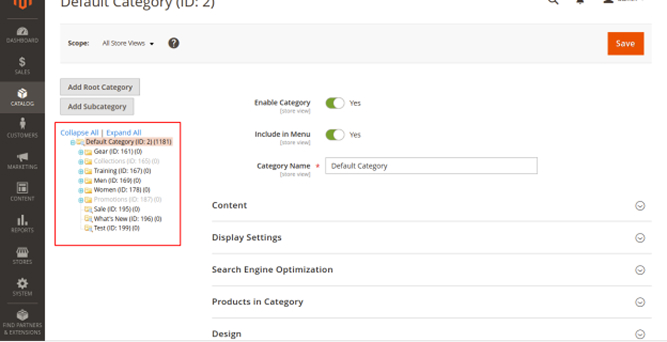
This extension will import/export root categories, and subcategories. Upon installing the extension admin can belong to System. Under the province Category of data transfer, there are two options..
Table of Content
- Export – Export all categories with their data into a CSV format.
- Import – Import categories from the third party utilizing a pre-defined CSV format
You can import/export any type of category-related data like Category titles, and URLs.
This extension enables the creation of multiple categories at, an at-a-time utilizing CSV files.
Features
- Import and Export all categories with full data of the category.
- Manageable to attach Bulk categories into the Magento store utilizing CSV file in a structure.
- Obtain sample data files for user comfort.
- Simple to install and customize for any type of Magento theme.
- Supplies an adequate shopper experience.
- Consistent with Magento 2.1.x, Magento 2.2.x
Benefits
- Imports diverse categories in one time
- Import all categories and corresponding data
- Get the Confirmation after the import
- Export all categories and corresponding data
- Execute the task of days in a case of minutes
How to Install
- Download the zip file
- Extract it and put into /app/code/
- Open CLI in Magento directory and Run Magento installation commands
Commands
- php bin/magento setup:upgrade
- php bin/magento setup:di:compile
- php bin/magento setup:static-content:deploy
- php bin/magento cache:clean
- php bin/magento cache:flush
Configuration
- Login to Magento Admin
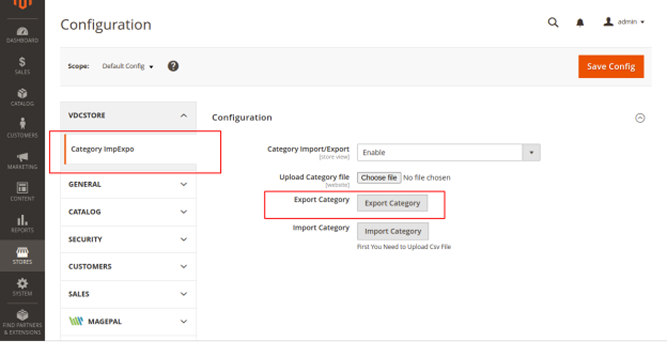
- Stores > Configuration > VDCSTORE extensions > Category ImpExpo
- Enable or disable the extension module.
- Click on Export Category Button.
- Open the downloadable file.
- Go to the category page.
- See all the categories.
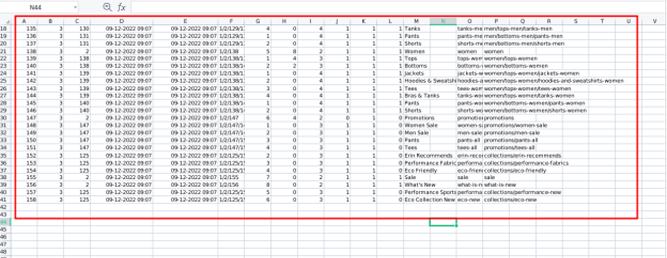
- Now Open the dowanloaded CSV File.
- Add one Category in this File.
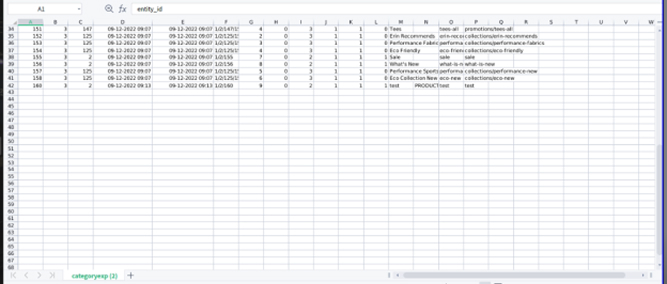
- Now go to the configuration page.
- Click on upload category file.
- Click on Save Config Button.
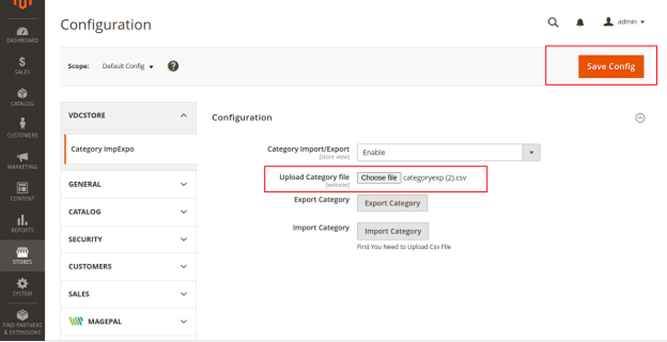
- Now you can see the File uploaded successfully.
- Click on Import Category.
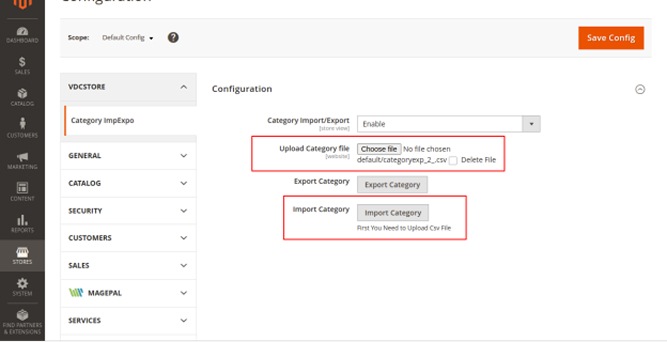
- You will see the message “Import Successfully”.
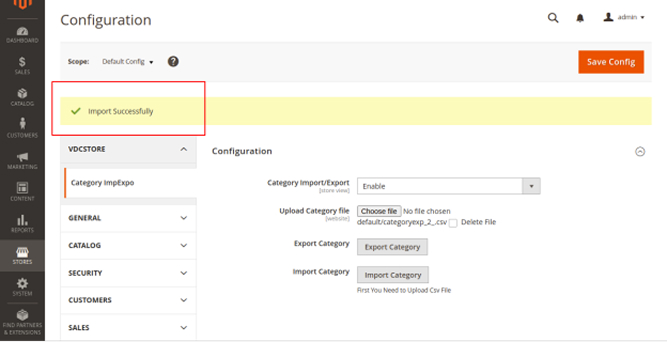
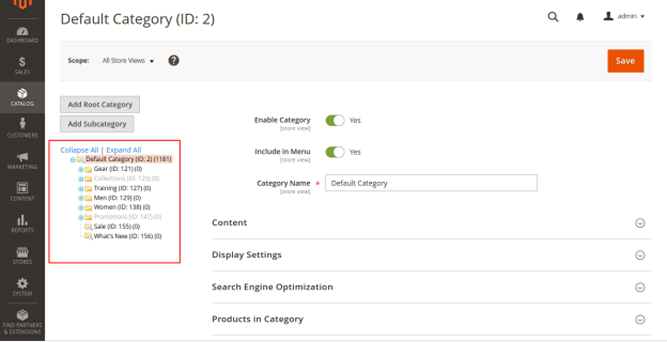
- Now go to the Categories Page.
- See all the categories and check the new new category has been added.