This module seamlessly connects your Magento 2 store with Omnisend, syncing customers, guest subscribers, orders, products, and marketing events in real time. It includes enhanced checkout subscription controls, allowing shoppers to opt-in for email and SMS marketing directly at checkout using two dedicated checkboxes. These preferences are automatically synced to Omnisend, ensuring compliant and highly targeted marketing communication. The integration keeps your data accurate, improves personalization, and boosts conversions through intelligent, automated campaigns.
Table of Content
Features
- Real-Time Data Synchronization: Automatically syncs customers, guest subscribers, carts, orders, and products from Magento to Omnisend.
- Advanced Consent at Checkout (New!): A dedicated configuration panel allowing merchants to fully customize how marketing consent is collected at checkout:
- Enable/disable Email marketing opt-in
- Enable/disable SMS marketing opt-in
- Customizable checkbox text for both Email and SMS
- Custom SMS disclosure/consent text for compliance
- Individual sort order positions for each checkbox
- These settings provide full control over how consent is displayed in the checkout UI.
- Dual Opt-In Capture at Checkout: Displays two consent checkboxes on the checkout page
- Subscribe for Email and Subscribe for SMS — allowing customers to grant permission directly while placing their order.
- Guest Subscriber Mapping: Stores guest opt-ins using a dedicated mapping table to sync them correctly with Omnisend.
- Customer Marketing Preference Sync: Immediately updates Omnisend with customer opt-in status for compliant email and SMS marketing.
- Reliable Sync via Queue & Cron: Uses Magento’s cron-driven queue system with retries to ensure consistent, fault-tolerant synchronization.
Steps:
- Extension Installation Guide
- Configuration
- Frontend
- Extension Installation
- Download the zip file
- Extract and put it into /app/code/
- Open Cli in the Magento directory and follow the below commands:
- php bin/magento s:up
- php bin/magento s:d:c
- php bin/magento s:s:d -f
- php bin/magento i:rei
- php bin/magento c:f
- php bin/magento cron:install
- php bin/magento cron:run
- Configuration:
- Module Verification:
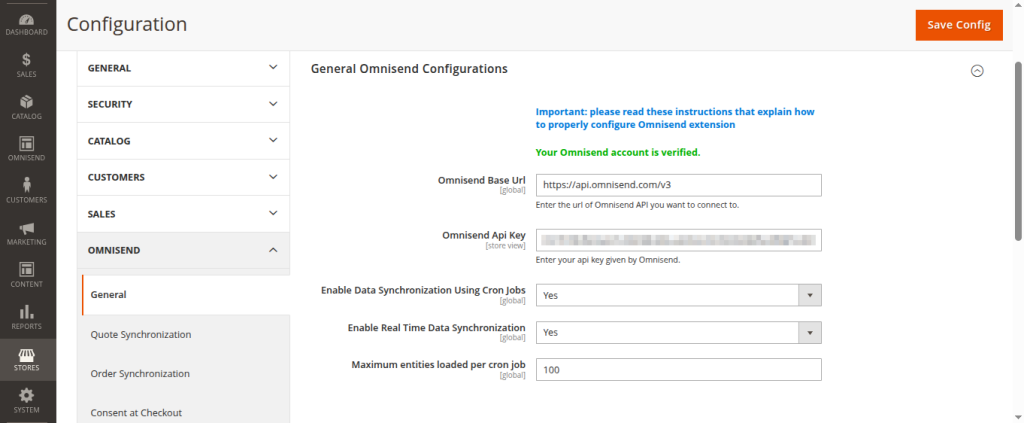
- Navigate to Magento Admin → Stores → Configuration → Omnisend → General.
- Enter your Omnisend API key and verify your account.
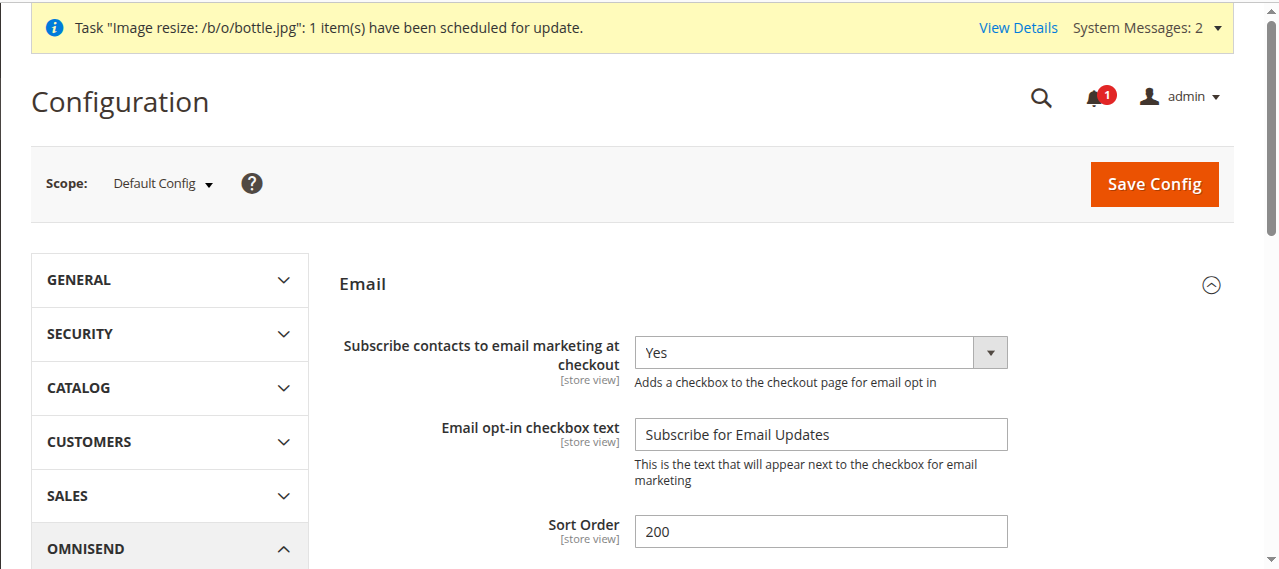
- Enable Email Subscription at Checkout:
- Open the Email Consent settings.
- Subscribe contacts to email marketing at checkout: set it yes to display email checkbox at checkout
- Email opt-in checkbox text: add text to display next to checkbox
- Sort Order: set sort order where you want to make this field appear
- Open the Email Consent settings.
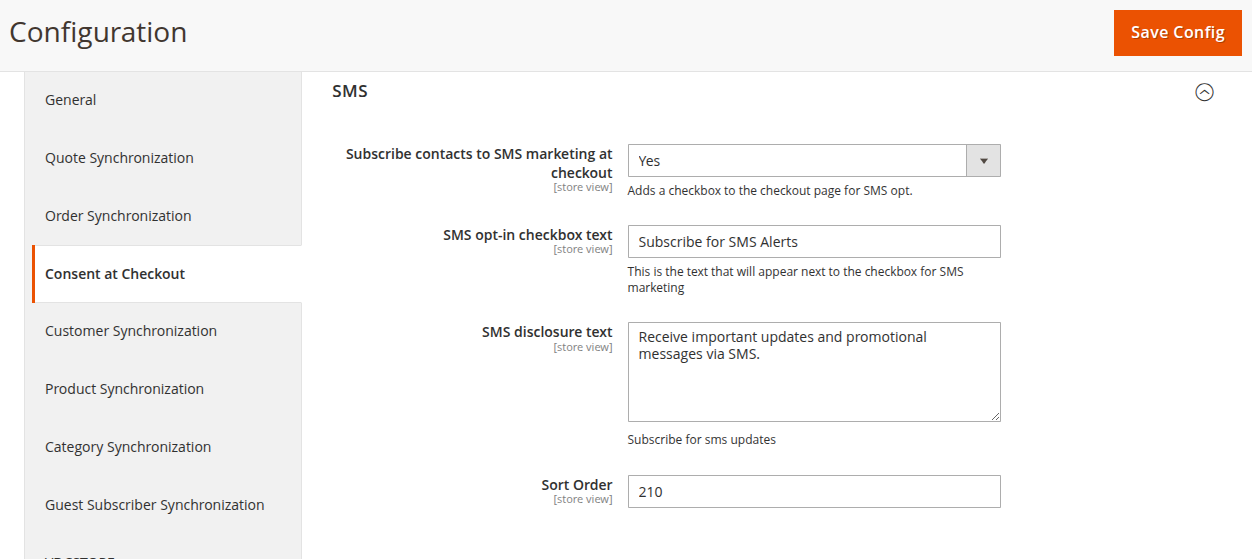
- Subscribe for SMS:
- Open the SMS Consent settings.
- Subscribe contacts to SMS marketing at checkout: set this to Yes to display the SMS checkbox at checkout.
- SMS opt-in checkbox text: enter the text that appears next to the SMS checkbox.
- SMS disclosure text: add the disclosure text for SMS subscription.
- Sort Order: set the position of the SMS checkbox at checkout.
- Open the SMS Consent settings.
- Frontend Subscription:
- Add a product to the cart and go to checkout.
- Select Subscribe for Email and/or Subscribe for SMS, then place the order.
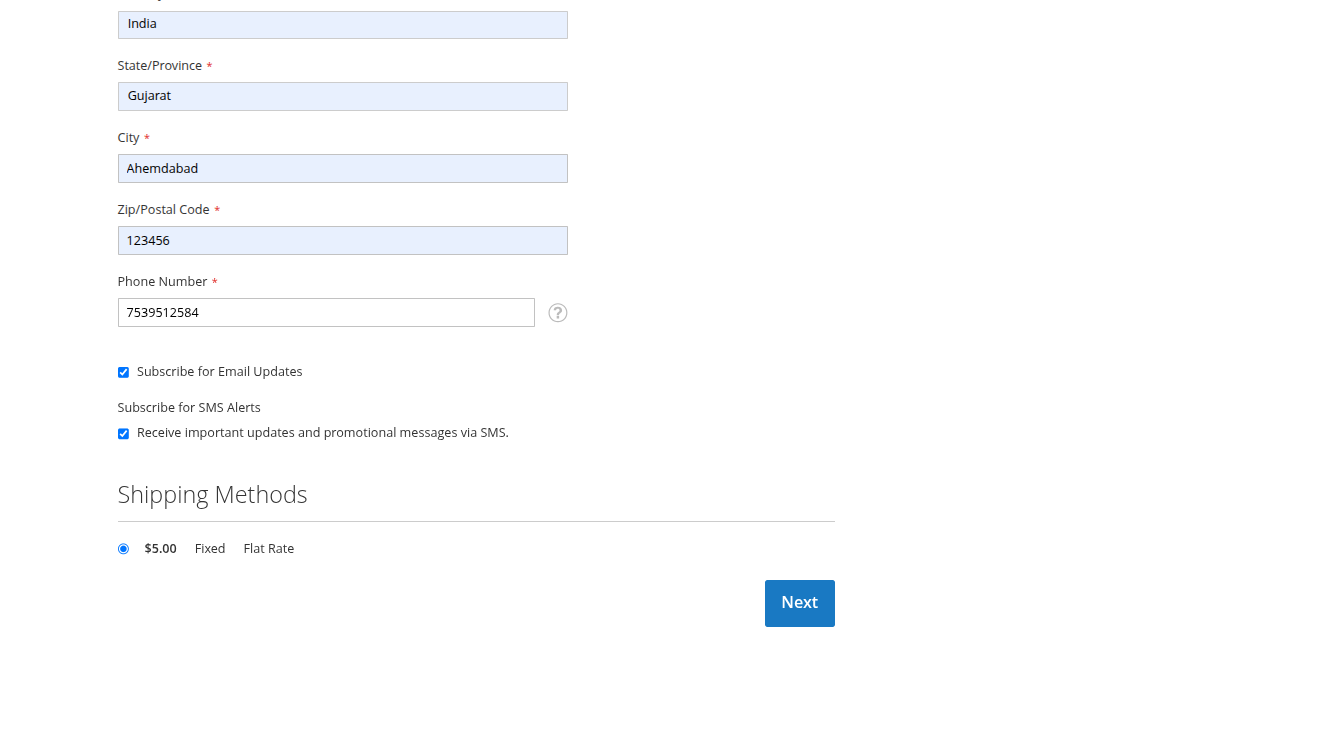
- Check Subscribers in Omnisend:
- Navigate to https://app.omnisend.com/audience/segments/contact-list to view your subscriber list.
- Navigate to https://app.omnisend.com/audience/segments/contact-list to view your subscriber list.
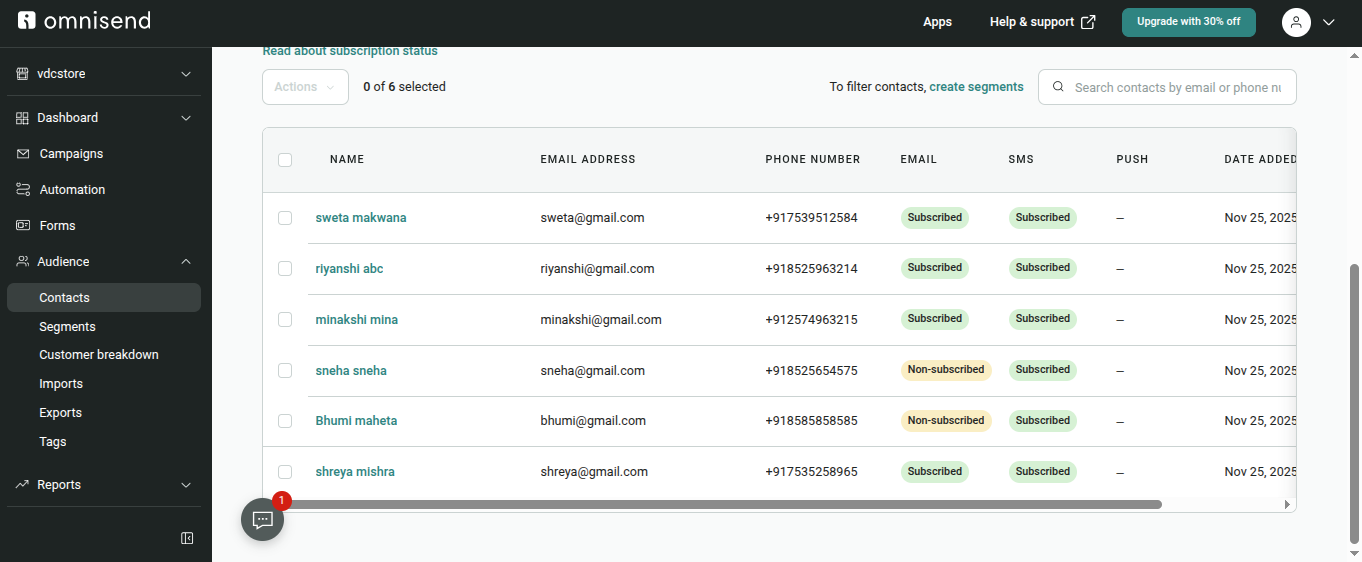
- Check Installed Module Version:
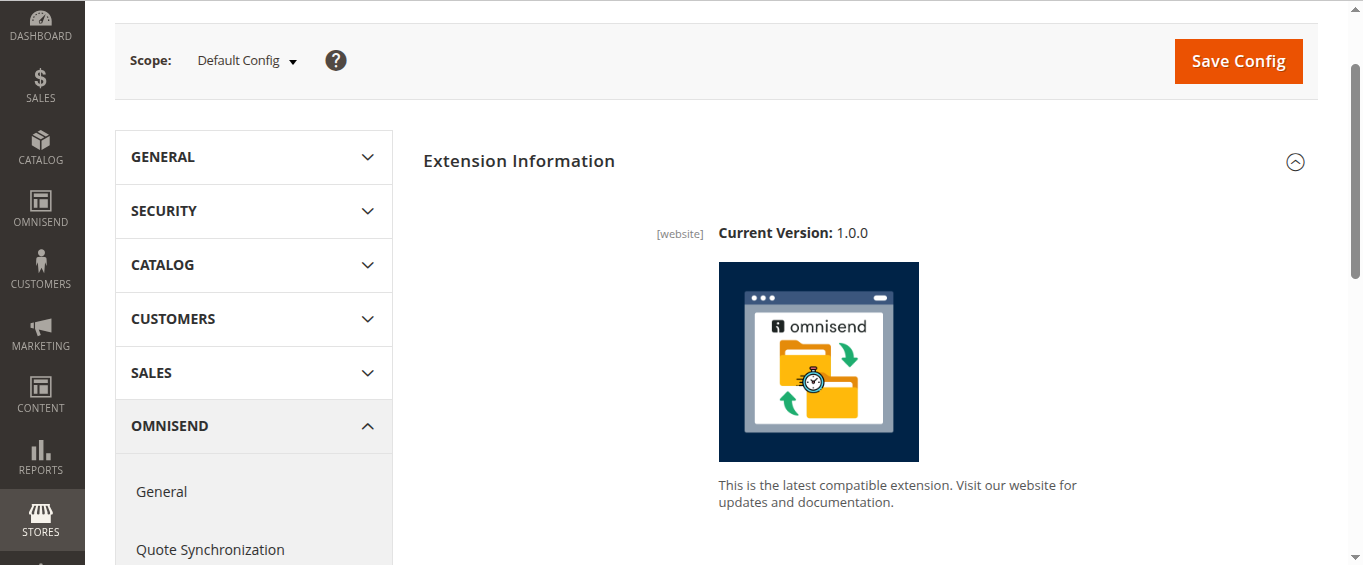
- Open the Admin > stores > configuration > Omnisend > VDCSTORE section to view the installed module version.