 Shopify Migration




How to setup whatsapp Catalague in mintues

How to Set Up a WhatsApp Catalog in Minutes
Are you looking to enhance your business presence on WhatsApp? WhatsApp Business catalog setup can be a game-changer for showcasing your products and services directly to your customers. The best part? You can Set Up a WhatsApp Catalog in Minutes! Here's a step-by-step guide to help you get started.
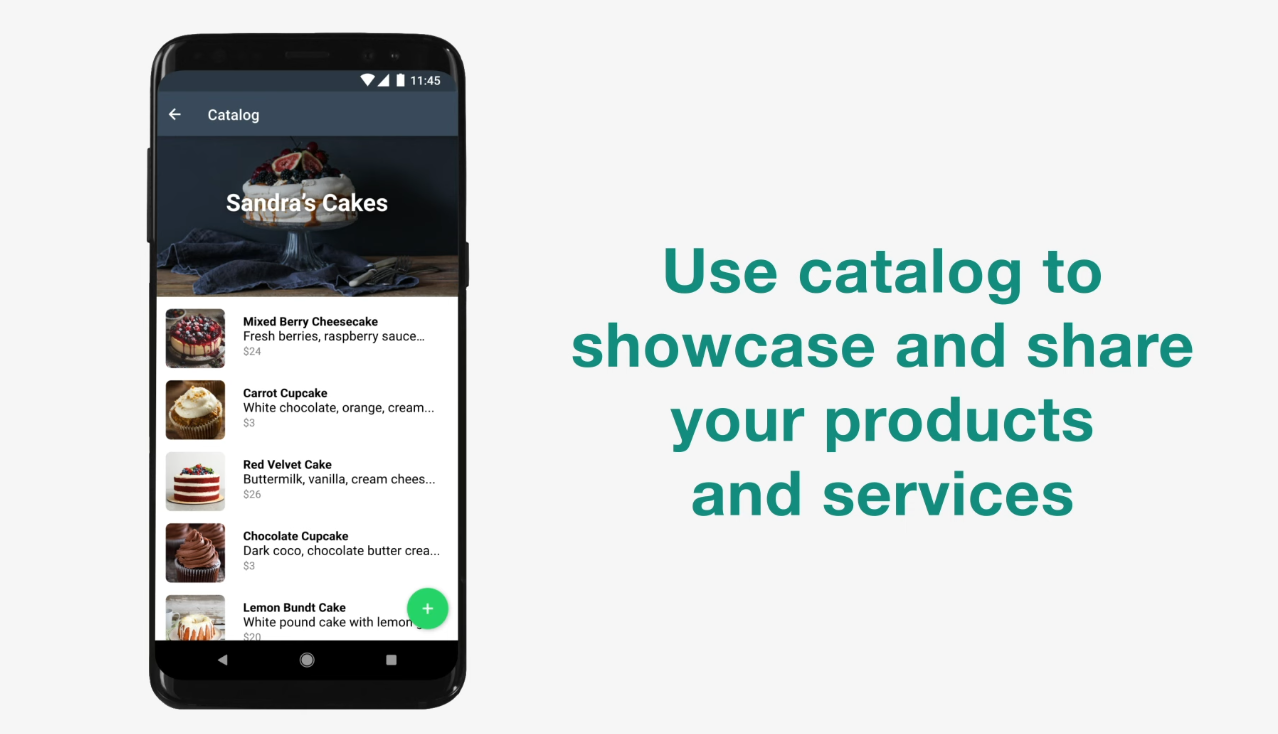
What is a WhatsApp Product Catalog?
A WhatsApp Product Catalog allows businesses to display their products or services right within WhatsApp Business. It simplifies the buying process for customers by providing a clear, organized view of what you offer.
Benefits of a WhatsApp Catalog
- Seamless Customer Experience: Customers can view products without leaving the chat.
- Ease of Communication: Customers can inquire about products with a single tap.
- Time-Saving: Businesses can share product details instantly during conversations.
- No Website Required: A great solution for small businesses without a website.
Step-by-Step Guide to Set Up a WhatsApp Catalog
Step 1: Download WhatsApp Business
- If you don’t already have the app, download the WhatsApp Business app from the Google Play Store or Apple App Store.
- Create Whatsapp Catalog with accurate business information.
Step 2: Access the Catalog Feature
- Open the WhatsApp Business app.
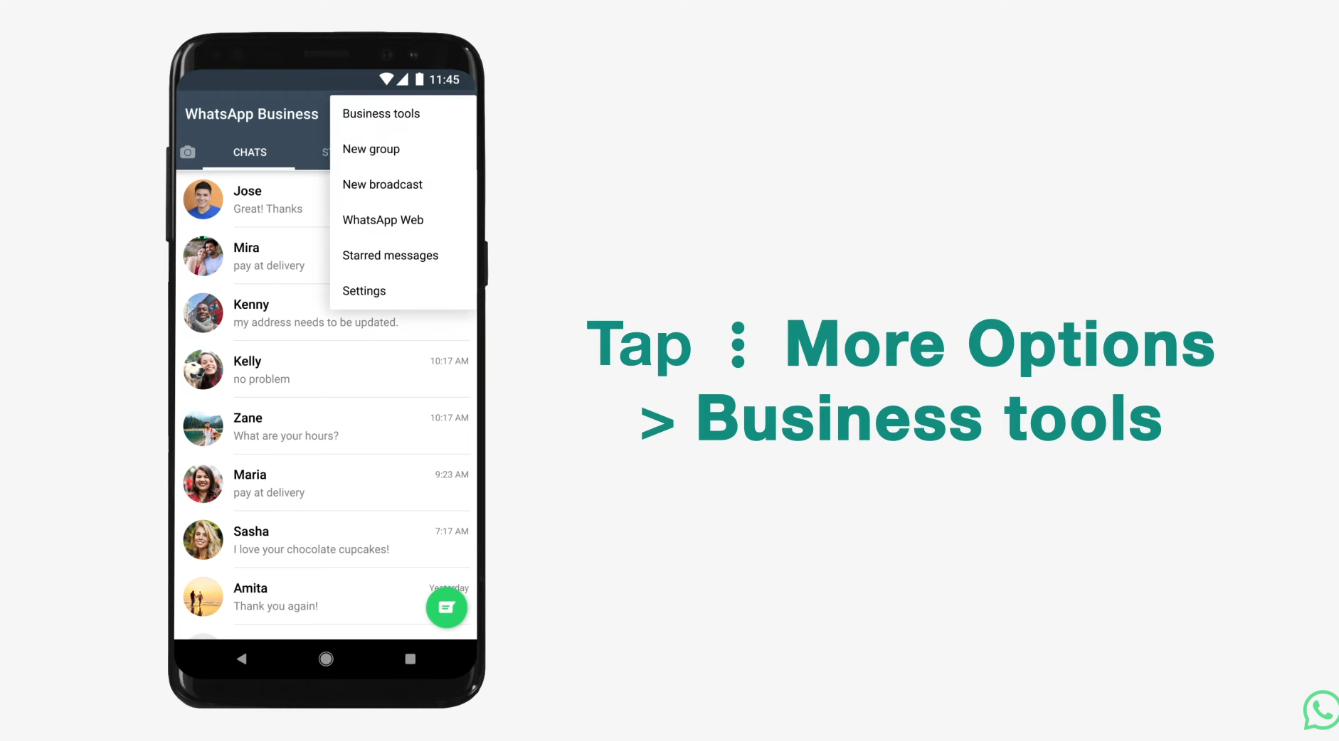
- Tap the More Options menu (three vertical dots) on Android or Settings on iPhone.
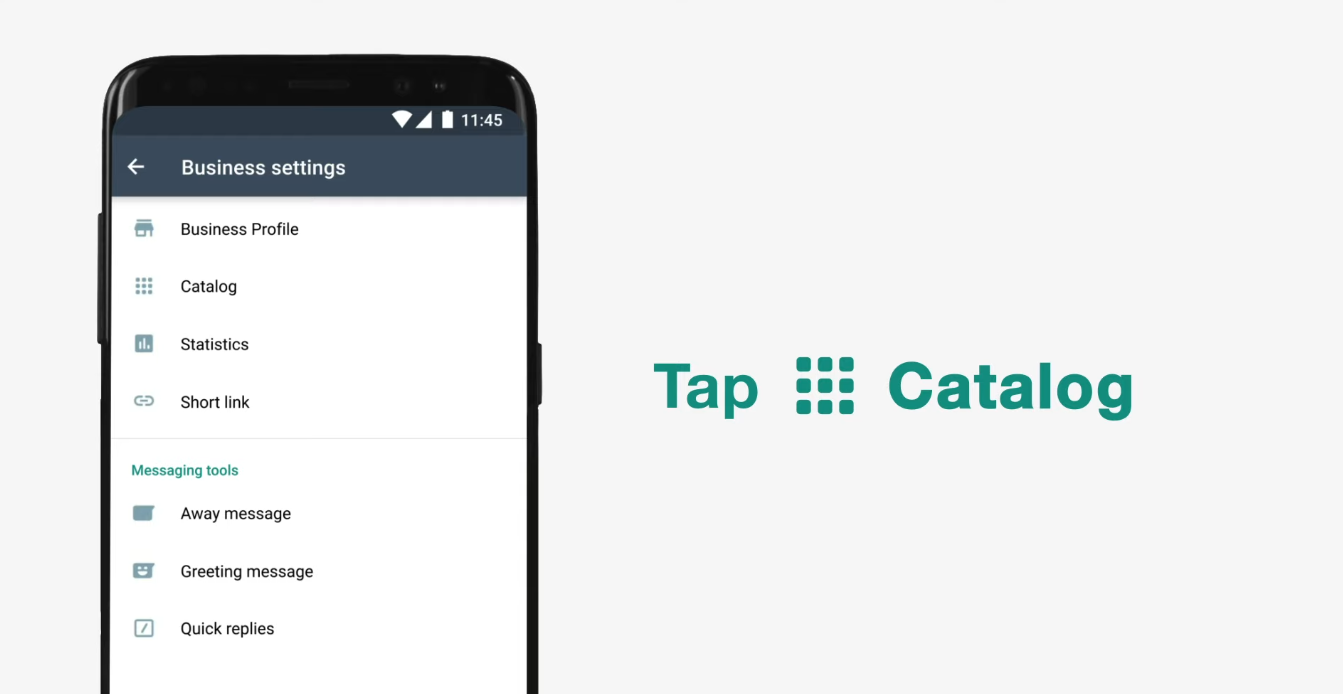
- Navigate to Business Tools > Catalog.
Step 3: How to add items to WhatsApp catalog
- Tap Add New Item.
- Add images of your product or service (you can upload up to 10 images per item).
- Fill in the product name, price, description, and any relevant details.
- Optionally, include a product link and SKU (Stock Keeping Unit).



Step 4: Publish Your Catalog
- Once you've added all the details, save the item.
- Your catalog will now be live and accessible to your customers through your business profile.
Tips for an Effective Catalog
- High-Quality Images: Use clear and professional images for better customer engagement.
- Concise Descriptions: Ensure your product descriptions are brief yet informative.
- Update Regularly: Keep your catalog fresh by adding new products and removing out-of-stock items.
How Customers Can View Your Catalog
Once set up, customers can:
- Tap your business name in a chat to view your profile.
- Access the catalog to browse through your offerings.
Conclusion
Whatsapp Business Catalog Setup is a quick and effective way to boost your business visibility and streamline customer interactions. With just a few minutes of effort, you can create a dynamic shopping experience for your customers, all within the convenience of WhatsApp.
Get started today and see the difference it makes for your business!







0 Comment(s)