 Shopify Migration



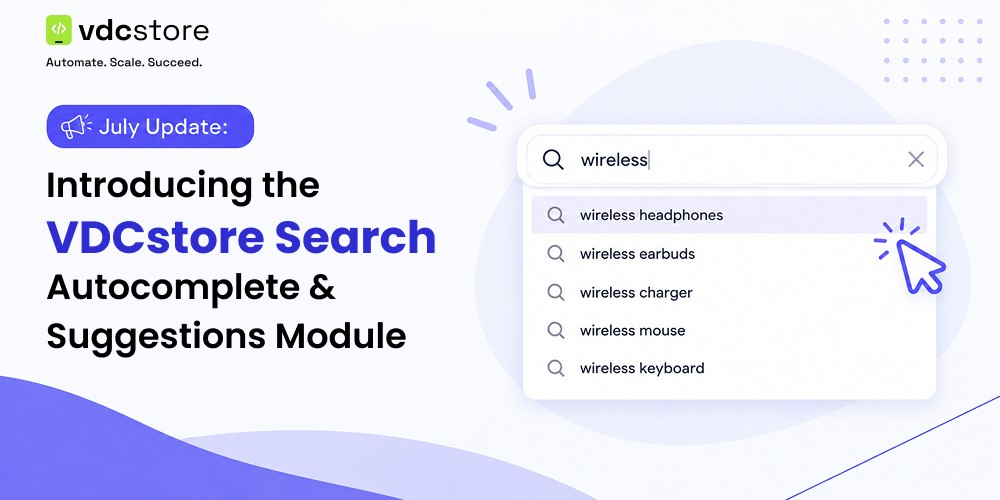
This July, we're releasing a new addition to the VDCstore catalog: the Search Autocomplete & Suggestions module for Magento 2. It's built around a simple idea that's easy to overlook — the shoppers who use your store's search box already know what they want. Making that search faster and more accurate is one of the more direct ways to turn browsing into a completed order.
Search traffic tends to be some of the highest-intent traffic any store gets. A shopper typing into the search bar has already skipped past homepage banners and category browsing and gone straight to "I want this." A slow or inaccurate search experience is one of the easiest ways to lose that shopper right at the moment they were closest to buying.
The Problem With Default Magento Search
Out of the box, Magento's native search does the job, but it does it slowly and without much guidance. A shopper types a full query, hits enter, and waits for a results page to load before finding out whether the store even carries what they're looking for. There's no live feedback while typing, no visual preview of likely matches, and no forgiveness for a slightly misspelled product name until the results page comes back empty.
For a shopper comparison-shopping across several tabs, that friction is often enough reason to bounce to a competitor's site instead of waiting. The gap between what shoppers expect from search — instant, guided, forgiving — and what Magento ships with by default is exactly what this module is built to close.
What's New This July
The new Magento 2 search autocomplete module adds a predictive dropdown to your store's search bar, so customers see relevant matches the moment they start typing, instead of waiting for a full results page to load. It's designed to be lightweight to configure and easy to drop into any storefront theme.
Key Features of the Search Autocomplete & Suggestions Module
- Predictive search-as-you-type. Suggestions begin appearing after just a few characters, helping shoppers complete their search query without typing the full product name.
- Bolded match highlighting. The matched portion of each suggestion is bolded in the dropdown, so shoppers can quickly confirm the result is relevant.
- Rich result previews. Dropdown suggestions can display product thumbnails, pricing, and ratings, giving shoppers enough context to click through with confidence.
- Configurable trigger settings. Store admins can set the minimum number of characters required to trigger suggestions, along with the response delay, directly from the settings screen.
- Clean, single-screen admin configuration. No digging through multiple menus — the core settings for this Magento search suggestions module live on one intuitive configuration page.
- Responsive, mobile-ready design. The dropdown adapts cleanly to smartphones and tablets, since a growing share of store search happens on mobile.
- Theme-agnostic integration. Built to drop into standard and custom Magento 2 themes without requiring core template overrides.
Why Search UX Drives Conversions
Search visitors convert at a noticeably higher rate than shoppers who only browse categories, simply because they've already told the store exactly what they want. The catch is that this advantage only holds if the search experience keeps up with that intent.
- Every extra second of wait time between typing and seeing relevant results increases the odds a shopper abandons the search entirely.
- A results page with zero matches for a nearly-correct query reads as "we don't have it," even when the store does — it's simply a spelling or phrasing mismatch.
- Visual context in results — a thumbnail, a price, a rating — lets a shopper make a decision straight from the dropdown, without a second page load.
None of this requires a complex search overhaul. In most cases, it just requires the search box to behave the way shoppers already expect it to, which is the specific gap this module targets.
Why We Built This
We hear the same thing from a lot of merchants evaluating a Magento autocomplete extension: they want search that feels fast and accurate, without needing to manage a complex configuration just to get the basics working well. That was the design goal behind this release — cover the core predictive-search experience shoppers expect from any modern storefront, with a setup process that doesn't require a developer to configure on day one.
Magento's native search functionality is capable, but out of the box it doesn't give shoppers that instant, guided feeling they're used to from sites like Amazon or Google. This module closes that specific gap.
What's Coming Next
This July release focuses on the core predictive-search experience. Two related capabilities — a Fast Mode for accelerated response times on very large catalogs, and Advanced Searchable Indexes for managing and reordering multiple content types (like popular suggestions, categories, and CMS pages) within the dropdown — are on our roadmap for a future update rather than part of this initial release.
We'd rather ship a focused, well-tested module now than delay this release to bundle in every advanced capability at once. If your store has a very large catalog or you need granular control over multiple searchable content types today, keep an eye on future changelog updates — both features are actively planned.
Who This Module Is For
This release is aimed squarely at merchants who want to improve their store's baseline search experience without a heavy setup lift.
- Catalogs of any size looking to reduce search-related bounce and speed up product discovery.
- Store owners replacing Magento's default search box with something closer to what shoppers expect from major retail sites.
- Teams wanting fast setup over a heavily customized, multi-index search configuration.
How to Get Started
The
As with all VDCstore releases, this module comes with setup documentation and support, so getting it live on your storefront shouldn't take more than a short configuration session.
Frequently Asked Questions
Does this module replace Magento's core search engine?
No. It adds a predictive dropdown layer on top of your store's existing search, rather than replacing the underlying search engine or index. Your current catalog search continues to work exactly as it does now.
Will it slow down my storefront?
The module is built to be lightweight, with configurable response delays so you can balance responsiveness against server load. For very high-traffic or large catalogs wanting maximum response speed, the upcoming Fast Mode release will offer an additional performance layer.
Do I need developer help to install it?
Most stores can configure the core settings — minimum characters, delay, and result display — directly from the admin panel without touching code. Theme integration is designed to work with standard Magento 2 themes out of the box.
Final Thoughts
Search is one of the highest-leverage places to improve a store's conversion rate, precisely because the shoppers using it already know what they want. This July's VDCstore Search Autocomplete & Suggestions module is a focused first step toward a faster, more guided search experience, with Fast Mode and Advanced Searchable Indexes to follow in upcoming releases. Try it out on your store this month, and let us know what you'd like to see next.







0 Comment(s)