 Shopify Migration



Magento 2 Tiktok Marketing Suite
 Trending

- for Magento 2.4.x (CE, EE)

VDCStore TikTok Ads Module brings native TikTok advertising integration to your Magento 2 store — no manual code needed. Track customer actions via browser Pixel and server-side Conversions API, sync your product catalog, and manage everything from your Magento Admin panel.
VDCStore TikTok Ads Module brings native TikTok advertising integration to your Magento 2 store — no manual code needed. Track customer actions via browser Pixel and server-side Conversions API, sync your product catalog, and manage everything from your Magento Admin panel.




User Guide
The VDCStore TikTok Ads Module integrates your Magento 2 store with TikTok's advertising platform. It tracks customer actions using two complementary methods — a browser-side JavaScript Pixel and a server-side Conversions API (CAPI) — and generates a product catalog feed for Dynamic Showcase Ads. This guide walks through every configuration step so you can set up, manage, and verify your TikTok advertising integration confidently.
Extension Installation
- Download the zip file
- Extract and put it into /app/code/
- Open Cli in the Magento directory and follow the below commands:
- php bin/magento s:up
- php bin/magento s:d:c
- php bin/magento s:s:d -f
- php bin/magento i:rei
- php bin/magento c:f
- php bin/magento cron:install
- php bin/magento cron:run
-
Step 1 – Create a TikTok Business Account
- A TikTok Business Center account is the root account that manages your Ad Accounts, Pixels, and team members. You must create one before you can run ads or use the Conversions API.
- Navigation: https://business.tiktok.com → Create now
- Open your browser and go to https://business.tiktok.com.
- Click the "Create now" or "Get started" button on the landing page.
- Sign up with Email: Enter your business email address and create a password (min. 8 characters). Click "Send Code" to receive an email verification code.
- Fill in Business Information: Enter your Business name, Country/Region, Time zone, and optionally a business phone number.
- Accept the TikTok Business Center Terms of Service and Privacy Policy, then click "Create".
- If prompted for identity verification, upload the required business documents. Approval takes 1–3 business days.
-
Step 2 – Create a TikTok Ads Manager Account
- The Ads Manager is where you create campaigns and access Events Manager. It must be linked to your Business Center account.
- Navigation: business.tiktok.com → Accounts → Ad Accounts → Create Ad Account
- Log in to business.tiktok.com and go to Accounts → Ad Accounts in the left sidebar.
- Click the "+ Create Ad Account" button.
- Fill in account details: Enter an Account name (e.g. "YourStore – Main Ads"), select your Country, Currency (cannot be changed later), and Time zone.
- Use the Filters button to search/filter categories.
- After creation, go to Ads Manager → Billing → Add Payment Method and add a valid payment method to enable running ads.
-
Step 3 – Create a TikTok Pixel and Get Your Pixel ID
- The Pixel ID connects your website events to your TikTok Ads account. You will paste this ID into the Magento module configuration.
- Navigation: TikTok Ads Manager → Tools → Event Manager → Connect Data Source
- In Ads Manager, click the menu icon (☰) at the top-left. Navigate to Tools → Event Manager.
- Click "+ Connect Data Source".
- In the dialog, select "Web" and click "Next".
- Select "Manually install pixel code" . Click "Next".
- Choose "TikTok Pixel + Events API" as the connection method and click "Next".
- Enter a descriptive pixel name, e.g. "MyStore TikTok Pixel", then click "Create".
- Copy your Pixel ID: After creation the screen displays a long numeric ID (e.g. 7012345678901234567). Copy this number — you will need it in Section 8.
- You do not need to copy the JavaScript snippet. The VDCStore module injects pixel code automatically using the Pixel ID. Click "Finish".
-
Step 4 – Generate a TikTok API Access Token
- The Access Token authenticates your Magento server's requests to TikTok's Conversions API. Treat it like a password — never share it publicly.
- Navigation: Ads Manager → Tools → Event Manager → [Your Pixel] → Settings → Conversions API
- In Ads Manager, navigate to Tools → Event Manager and click your pixel name.
- Click the "Settings" tab (not Overview or Diagnostics).
- Scroll to the "Conversions API" section.
- Click "Generate Access Token".
- Copy the token immediately: The full token is only shown once on initial generation. Store it in a password manager or secure vault. It is a long alphanumeric string of 64+ characters.
- Paste the token into the Magento module's CAPI configuration (see Step 8.3 below).
-
Step 5 – Install the Module on Magento 2
- Installation requires SSH / terminal access to your Magento server. All commands should be run from the Magento root directory as the web server user.
- Navigation: [magento_root]/app/code/Vdcstore/TikTokAds/
- Copy the module folder to your Magento installation at: app/code/Vdcstore/TikTokAds/
- Enable the module: php bin/magento module:enable Vdcstore_TikTokAds
- Run setup upgrade: php bin/magento setup:upgrade
- Compile DI: php bin/magento setup:di:compile
- Deploy static content: php bin/magento setup:static-content:deploy -f
- Flush cache: php bin/magento cache:flush
- Verify installation: php bin/magento module:status Vdcstore_TikTokAds — you should see "Module is enabled".
-
Step 6 – Configure General Settings
- The General section is the master switch for the entire module. Both Pixel and CAPI features require the module to be enabled here first.
- Navigation: Stores → Configuration → Vdcstore → TikTok Ads
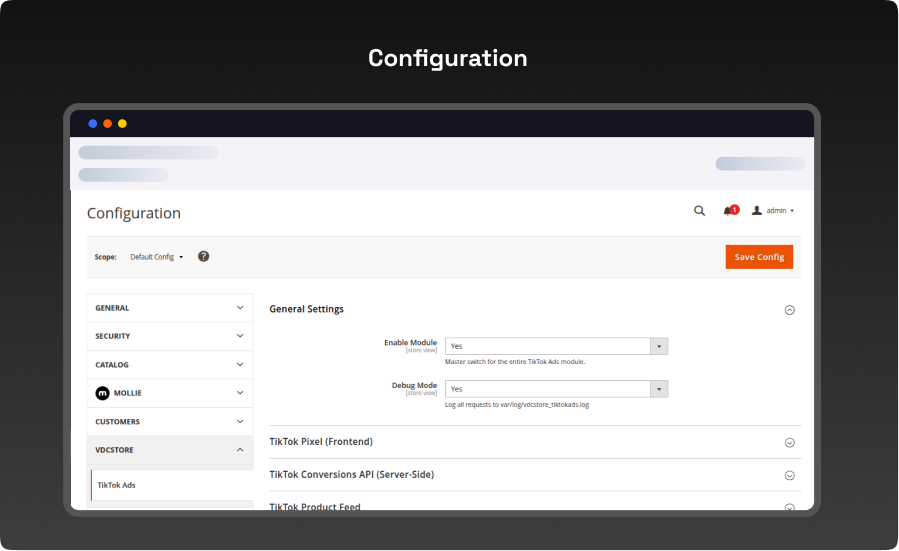
- Enable Module – Set to Yes to activate all module features. Default: No.
- Debug Mode – When Yes, detailed event data is written to var/log/vdcstore_tiktokads.log. Enable only for troubleshooting; disable in production.
-
Step 7 – Configure Pixel Settings
- The Pixel section controls the browser-side JavaScript tracking. Events are fired from the visitor's browser on every relevant storefront action.
- Navigation: Stores → Configuration → Vdcstore → TikTok Ads → Pixel
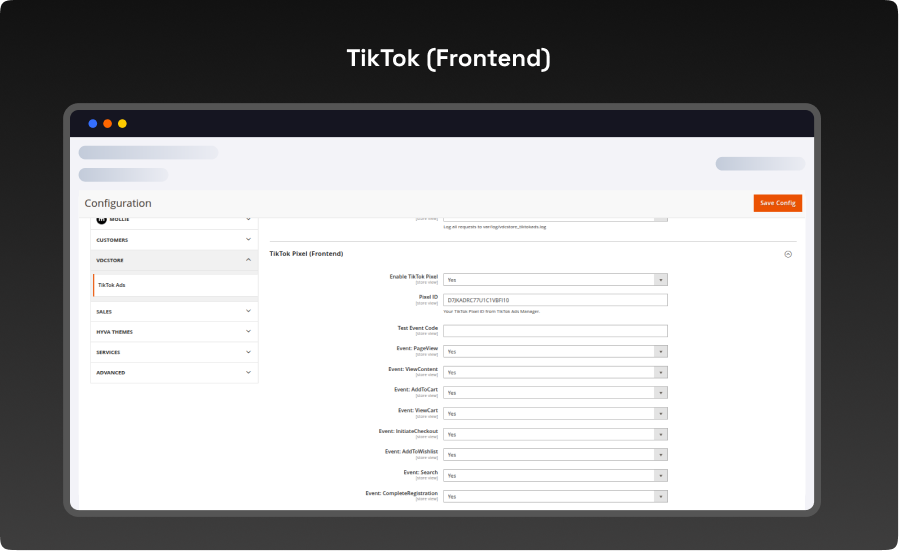
- Enable Pixel – Set to Yes to inject the TikTok JavaScript pixel on your storefront. Requires Enable Module to also be Yes.
- Pixel ID – Paste your 19-digit TikTok Pixel ID.
- Test Event Code – Optional. Enter the test code from Events Manager → Test Events during testing only. Must be blank in production.
-
Step 8 – Configure Conversions API (CAPI) Settings
- The CAPI section controls server-side event sending. Events fire from the Magento server directly to TikTok, making them immune to ad blockers and browser privacy restrictions.
- Navigation: Stores → Configuration → Vdcstore → TikTok Ads → Conversions API
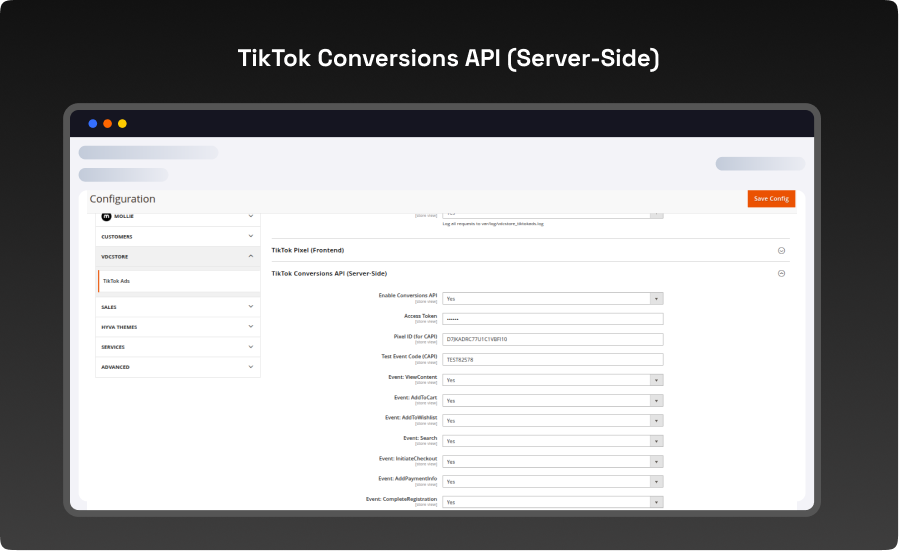
- Enable CAPI – Set to Yes to enable server-side event sending. Requires Enable Module to also be Yes.
- Access Token – Paste the Access Token generated in Step 4. Stored encrypted in the Magento database.
- Pixel ID – Enter the same Pixel ID used in the Pixel section. CAPI events are tied to the same pixel.
- Test Event Code – Optional test code. Must be blank in production.
-
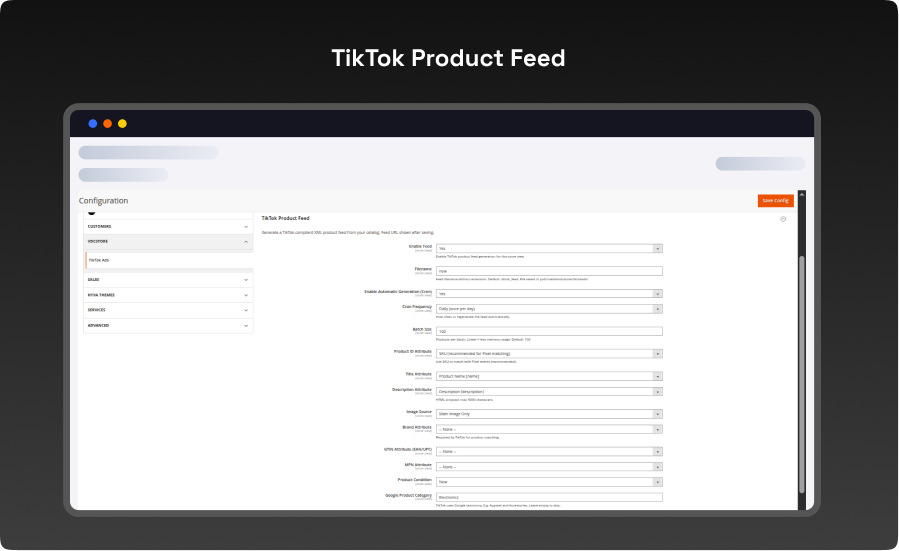
Step 9 – Configure Product Feed Settings
- The Product Feed section controls how your Magento catalog is exported for TikTok Dynamic Showcase Ads.
- Navigation: Stores → Configuration → Vdcstore → TikTok Ads → Product Feed
- Catalog ID Attribute – The Magento product attribute used as the item ID in the feed and in all tracking events. Default: sku. This value must be consistent — whatever attribute appears as in the feed must also be sent as content_id in events.
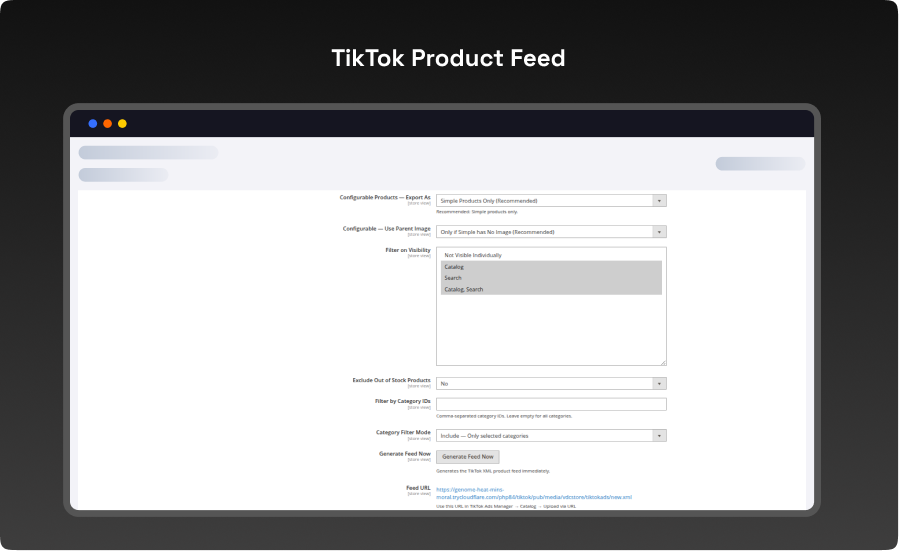
- Generate in Admin: Go to Vdcstore → TikTok Ads → Generate Feed and click the Generate Feed button. The file is saved to pub/media/vdcstore_tiktokads/feed.xml.
- Verify the URL: Open https://yourstore.com/media/vdcstore_tiktokads/feed.xml in your browser to confirm the XML file is accessible.
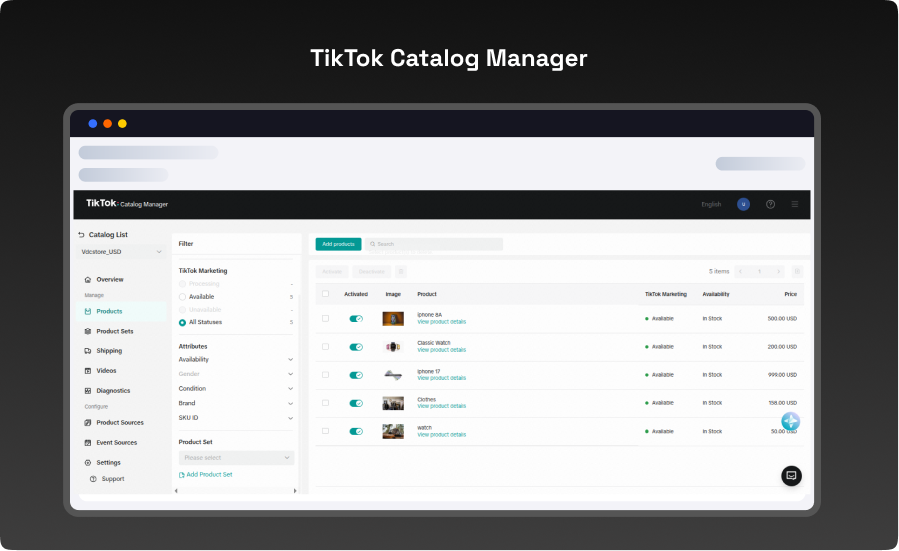
- Upload to TikTok Catalog: In Ads Manager, go to Assets → Catalog → Create Catalog. Select E-commerce, then add a Scheduled Feed using your feed URL. Set the format to XML and the update frequency to Daily.
- TikTok will fetch and process the feed (up to 60 minutes). Your products will then appear in the catalog for use in Dynamic Showcase Ads.
What you'll obtain with our Magento Technical Audit
With VDC Store's Magento eCommerce technical audit you'll gain expert separate in-depth analysis with an exhaustive summary of the state of your store's code grade and overall usability.

-

An organizational summary of discoveries with preferences and a brief overview
-
3rd party extensions initial review
-
An exact description of results and suggested solutions
-
Database innocence review (to secure that data is recorded precisely as planned)
-
Top preferences for your architects
-
Code quality examination (periodic reflection of your store source code)
-
Examination of possible Magento core design changes
-
Speed and execution analysis (HTTP requests, optimizations, exhale headers…)
By a technical appraisal, the client not only obtains information about the issues the store is facing but also this examination by VDC Store allows them to acquire beneficial information and concepts for setting up programs to enhance sales and conversion drivers.
Our analysis appreciates the essence of your business. We are not utilizing an automatic procedure that is used in every case. We want to make sure you end up with suggestions based on the exact condition of your store. Start the discussion about the Magento technical audit you're curious in by filling out the Contact Us form.
Why Choose the VDCStore Magento 2 TikTok Integration Extension
The VDCStore TikTok Integration Module is a complete Magento 2 solution that seamlessly connects your store with TikTok Ads and TikTok Shop. It enables automatic product catalog synchronization, real-time event tracking using TikTok Pixel and Conversion API, and advanced marketing optimization — all directly from your Magento admin panel. From generating access tokens and pixel setup to managing product feeds and tracking events like ViewContent, AddToCart, InitiateCheckout, and Purchase, this module eliminates the need for third-party connectors and ensures accurate data tracking with event deduplication and server-side reliability. With built-in support for SEO-friendly product feeds and high-performance syncing, it helps you scale your TikTok advertising and maximize conversions effortlessly.
Live Demo


Customer Reviews
Page of • total reviews
Explore Our Customer Reviews
Dr Zahid
 Verified
Very happy with the website service!
Very happy with the website service. Great communication, high-quality design, and timely delivery. Everything was handled professionally, and the end result exceeded our expectations. Would definitely recommend.
Ravinder Gupta
VerifiedGreat experience
Great experience working with this software company. The team is professional, responsive, and delivered exactly what was promised.
Erel Support
VerifiedExtremely satisfied
I am extremely satisfied with the website they built for us. They listened carefully to our ideas, suggested improvements, and delivered a site that perfectly represents our brand.The process was smooth,strees-free,well organized.Great attention to detail and excellent support even after launch
Anurag Kumar
VerifiedGreat experience working with this team
We had a great experience working with this team for our website. They were Professional, responsive, and clearly understood our requirements from the start. The final website looks clean and modern and works perfectly across all devices. Communication was smooth throughout the project, and everything was delivered on time. Highly recommended for anyone looking for reliable website services and extensions.
Amol Bhoyate
VerifiedReliable, Professional, and High-Quality Web Development
We had a great experience working with VDC Store for our website development needs. From the very beginning, their team was professional, responsive, and attentive to our requirements. They clearly understood our vision and delivered a modern, user-friendly website that aligns perfectly with our business goals.
Comparison


Explore Our Hyvä Theme Demos
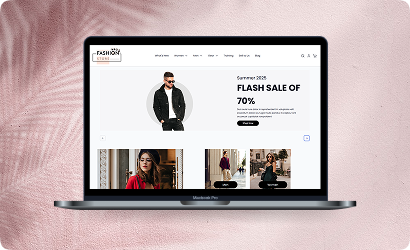
Fashion Store
Experience lightning-fast browsing and seamless product discovery in our Fashion demo, designed for smooth navigation and instant page loads.

Jewelry Store
Experience a sleek, lightning-fast browsing experience with our Jewelry demo — optimized for smooth navigation and instant product loading. Modern design meets high performance for flawless shopping.

Furniture Store
Our Furniture demo delivers fast, responsive pages and seamless product filtering, letting users explore large collections without delay. Performance-driven design for ultimate online convenience.
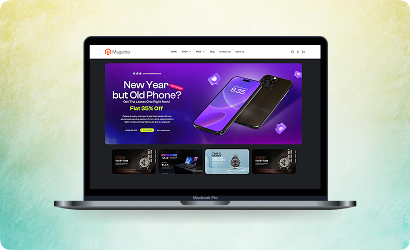
Electronics Store
Explore the Electronics demo with blazing-fast load times and smooth interactive features, ensuring a high-speed, immersive shopping experience. Optimised for tech-savvy customers.
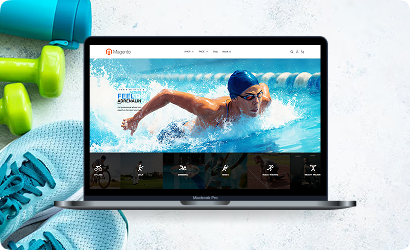
Fitness Store
The Fitness demo combines speed and responsiveness with effortless navigation, making it easy to browse workout gear and accessories quickly. Built for fast, engaging online fitness shopping.

Beauty Store
Enjoy instant load times and smooth interactions in our Beauty demo, designed for a seamless, high-performance shopping journey. Perfect for browsing beauty products without interruptions.
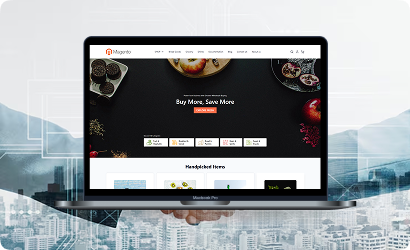
B2B Store
Our B2B demo emphasizes speed and efficiency, handling bulk catalogs and quick ordering without lag. Engineered for high-performance business-to-business operations.
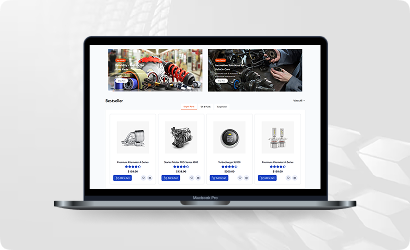
Auto Store
The Auto demo offers responsive navigation and rapid product searches, making car parts and accessories easy to find. Optimized for high-speed, performance-driven shopping.
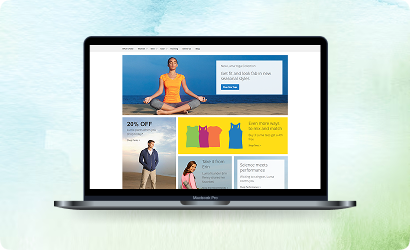
Hyvä Demo Store
Experience the Hyvä demo’s cutting-edge performance with near-instant page loads, smooth animations, and superior responsiveness. Designed for modern, lightning-fast eCommerce.
FANTASTIC AND PREMIUM CLIENTS
Trusted by







Need More Help?
Save time by starting your support request online and we'll connect you to an expert. Save time by starting your support request.