Currency

 AUD -
Australian Dollar
AUD -
Australian Dollar GBP -
British Pound
GBP -
British Pound INR -
Indian Rupee
INR -
Indian Rupee SGD -
Singapore Dollar
SGD -
Singapore Dollar
Toggle Nav

Core Web Vitals Assessment Failed: What It Means and How to Fix It for Magento Stores
30
Dec
Core Web Vitals Assessment Failed: What It Means and How to Fix It for Magento Stores
December 30, 2025
Website performance is no longer just a technical concern — it’s a business priority. In 2026, speed, stability, and responsiveness directly impact search rankings, user experience, and conversion rates. If you've seen the message “Core Web Vitals Assessment Failed”, it’s a clear signal that your store is falling short of modern performance standards.
For Magento and Adobe Commerce stores, this warning can have serious consequences. Poor Core Web Vitals scores can reduce visibility in search results, increase bounce rates, and negatively affect customer trust. The good news? These issues are fixable with the right approach, tools, and optimization strategy.
At VDCstore, we help merchants optimize Magento performance through smart extensions, clean architecture, and proven optimization techniques. In this guide, we’ll explain what Core Web Vitals are, why the assessment fails, and how to fix Core Web Vitals issues effectively to improve both SEO and user experience.
What Are Core Web Vitals?
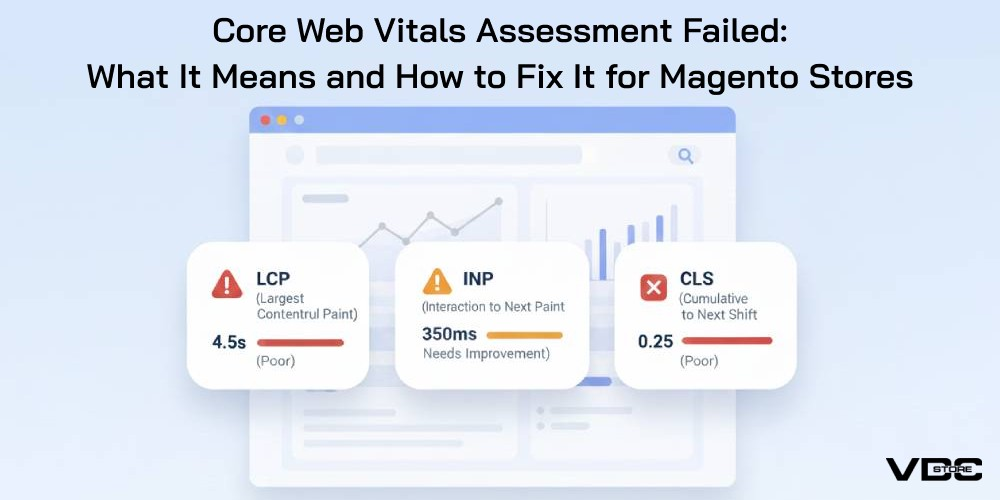
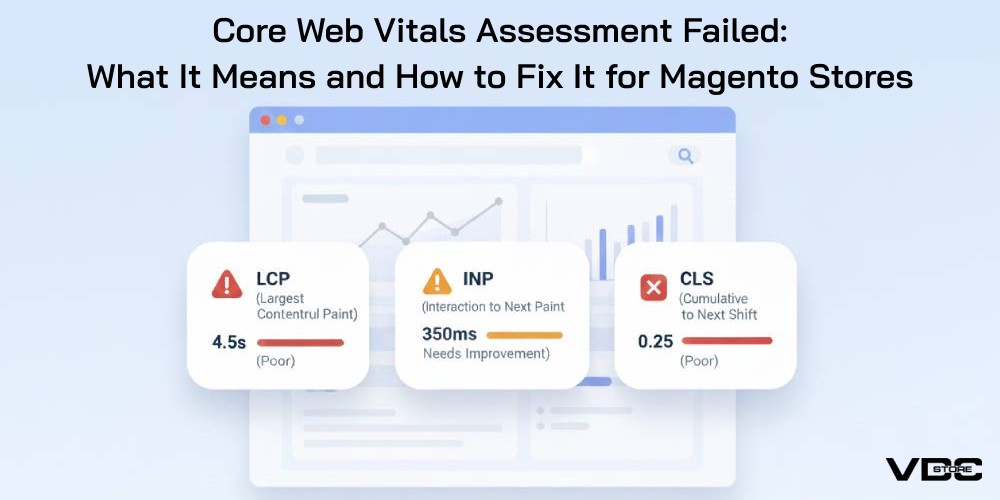
Core Web Vitals are a set of performance metrics that measure how users experience your website in real-world conditions. They focus on three critical aspects of page experience:
- Loading performance
- Interactivity
- Visual stability
Instead of relying on lab-based speed tests alone, Core Web Vitals are based on actual user data, making them a reliable indicator of real customer experience.
When your site fails the Core Web Vitals assessment, it means one or more of these metrics fall below acceptable thresholds for a significant number of users.
The Three Core Web Vitals Explained
1. Largest Contentful Paint (LCP)
LCP measures how long it takes for the largest visible element on a page — such as a banner image or main content block — to load.
Common Magento issues affecting LCP:
- Heavy hero images
- Unoptimized media files
- Slow server response times
- Render-blocking CSS or JavaScript
A slow LCP makes your site feel sluggish, especially on mobile devices.
2. Interaction to Next Paint (INP)
INP measures how quickly your site responds to user interactions like clicks, taps, or form inputs.
Magento-related causes of poor INP:
- Excessive JavaScript execution
- Poorly optimized third-party scripts
- Heavy frontend frameworks
- Blocking scripts during user interaction
A bad INP score makes your site feel unresponsive and frustrating to use.
3. Cumulative Layout Shift (CLS)
CLS measures visual stability — how much the page layout shifts while loading.
Common causes of high CLS:
- Images without defined dimensions
- Ads or banners loading dynamically
- Late-loading fonts
- JavaScript injecting content after page load
Unexpected layout shifts lead to poor usability and accidental clicks.
Why Core Web Vitals Assessment Fails
A “failed” assessment usually means that a majority of real users experience poor performance. For Magento stores, this often happens due to a combination of technical and architectural issues.
Common reasons include:
- Bloated themes with unnecessary scripts
- Overuse of third-party extensions
- Poor image optimization
- Lack of proper caching
- Slow hosting environments
- Heavy JavaScript frameworks
- Inefficient frontend rendering
Magento is powerful — but without performance optimization, it can quickly become resource-heavy.
Why Core Web Vitals Matter for Magento Stores
Failing Core Web Vitals impacts your store in multiple ways:
- Lower search visibility: Performance is a ranking factor.
- Higher bounce rates: Users leave slow or unstable pages.
- Reduced conversions: Delays hurt checkout and product browsing.
- Poor mobile experience: Mobile users are most affected.
- Lower trust and engagement: Performance reflects brand quality.
In competitive ecommerce environments, even small performance improvements can lead to measurable revenue gains.
How to Fix Core Web Vitals Issues in Magento
1. Optimize Images and Media Assets
Images are often the biggest contributor to slow LCP.
Best practices:
- Compress images without sacrificing quality
- Use modern formats where supported
- Lazy-load non-critical images
- Define width and height attributes for all images
Hero banners and homepage visuals should be prioritized for fast loading.
2. Reduce JavaScript Execution
Magento extensions and themes often load excessive JavaScript.
Optimization steps:
- Remove unused scripts and libraries
- Defer non-critical JavaScript
- Minimize inline scripts
- Reduce reliance on heavy frontend frameworks
Less JavaScript equals faster interactions and better INP scores.
3. Improve Server Response Time
Server performance plays a major role in Core Web Vitals.
Key improvements:
- Use full-page caching
- Optimize backend queries
- Implement proper cache invalidation
- Choose performance-optimized hosting
- Use a CDN for global delivery
Faster servers improve both LCP and overall page load experience.
4. Eliminate Layout Shifts
To fix CLS issues:
- Always define image and video dimensions
- Reserve space for dynamic elements like banners
- Avoid injecting content above existing content
- Preload fonts and avoid late font swaps
Stable layouts significantly improve perceived quality and usability.
5. Optimize Magento Theme and Extensions
Not all Magento extensions are performance-friendly.
Best practices:
- Audit installed extensions regularly
- Remove unused or redundant modules
- Use lightweight, optimized extensions
- Avoid overlapping functionality across modules
At VDCstore, our extensions are built with performance in mind — clean code, minimal overhead, and Magento-native compatibility.
6. Improve Frontend Rendering
Efficient rendering improves both LCP and INP.
Key techniques:
- Reduce DOM size
- Simplify layouts
- Optimize CSS delivery
- Avoid render-blocking resources
Clean frontend architecture leads to smoother user experiences.
Monitoring and Maintaining Core Web Vitals
Core Web Vitals optimization isn’t a one-time task. Ongoing monitoring is essential.
Recommended practices:
- Track real-user performance regularly
- Monitor performance after updates or deployments
- Test mobile and desktop separately
- Review performance impact of new extensions or themes
Performance should be treated as a continuous improvement process, not a checkbox.
How VDCstore Helps Magento Stores Improve Core Web Vitals
At VDCstore, we understand the unique performance challenges of Magento and Adobe Commerce stores. Our approach focuses on:
- Performance-optimized Magento extensions
- Clean, upgrade-safe code
- Frontend efficiency
- Reduced JavaScript overhead
- Compatibility with modern caching strategies
Whether you’re addressing a Core Web Vitals failure or proactively optimizing performance, our solutions are designed to help Magento stores load faster, respond quicker, and convert better.
Final Thoughts
A Core Web Vitals Assessment Failed warning is not a dead end — it’s a roadmap for improvement. By focusing on loading performance, interactivity, and visual stability, Magento store owners can significantly improve user experience, SEO performance, and conversion rates.
In 2026, performance is no longer optional. It’s a competitive advantage.
With the right optimization strategy and performance-focused extensions from VDCstore, your Magento store can pass Core Web Vitals assessments confidently — and deliver the fast, stable experience modern shoppers expect.
Recent Posts
-
VDCstore’s SEO Growth Suite for Magento 2: Extensions That Drive Rankings, Traffic, and Revenue
 January 19, 2026
 -
Best AI Magento 2 Extensions to Power Your Store in 2026
 December 31, 2025
 -
Core Web Vitals Assessment Failed: What It Means and How to Fix It for Magento Stores
 December 30, 2025
 -
Building a Successful Adobe Commerce Marketplace: Key Features and How to Choose the Right Approach
 December 29, 2025
 -
Magento 2FA Explained: Enabling, Managing, and Optimizing Store Security
 December 26, 2025