 Shopify Migration



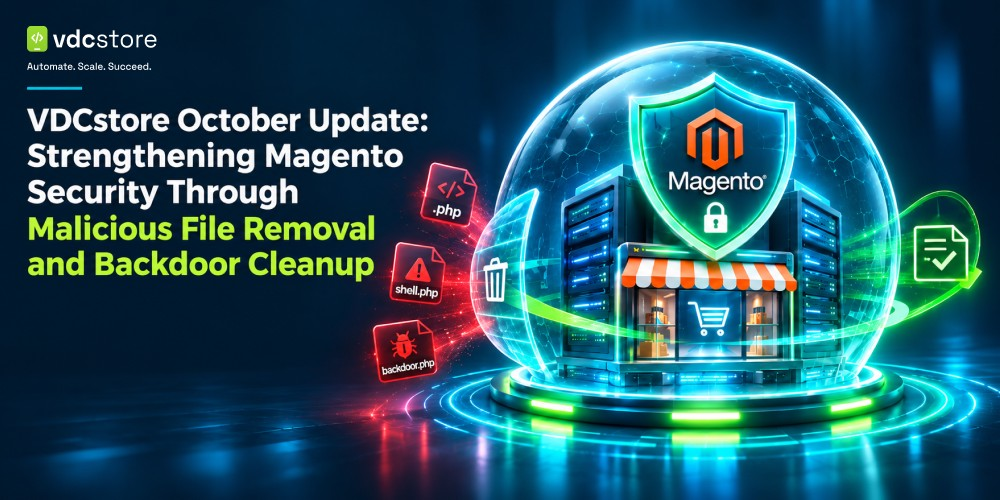
Ecommerce security is an ongoing responsibility that requires continuous monitoring, timely maintenance, and attention to potential vulnerabilities. As online stores manage customer information, transactions, product data, and business-critical operations, even a single compromised file can introduce significant security risks.
At VDCstore, we understand that maintaining a secure ecommerce environment is just as important as developing new features and improving store performance. That's why our October Magento security update focused on identifying and removing malicious files discovered within the project environment, including suspicious PHP files associated with backdoor activity.
This update involved cleaning potentially compromised locations within the Magento project, particularly the media directory, where malicious scripts had been identified.
In this article, we explain what was addressed during the October update, why these files presented a security concern, and what Magento store owners should understand about backdoor threats and ecommerce security.
1. October Security Update: What We Addressed
As part of our October security enhancement activities, we identified and removed malicious files from the project environment.
The cleanup covered two specific locations:
-
Suspicious directory:
pub/media/custom_options/quote -
Identified backdoor PHP files:
shadowxfriska_ajm545_129a3579.phpshadowxfriska_ajm545_2906da90.phpshadowxfriska_ajm545_5755ffa6.phpshadowxfriska_ajm545_e4a9787e.php
These files were located within the Magento project's public media directory.
The presence of unexpected PHP files in a media directory is particularly concerning because such locations are generally intended for storing uploaded assets, images, and other media-related content rather than executable server-side scripts.
Removing these identified malicious files was an important step in cleaning the affected project locations and reducing the risk associated with unauthorised PHP execution. Unlike installing a Magento security patch, which addresses specific software vulnerabilities, removing malicious files addresses suspicious content already present within the project environment.
2. Understanding Magento Backdoor Files and Their Security Risks
A backdoor is a malicious mechanism that allows an unauthorised individual to retain access to a website or server.
Unlike a conventional vulnerability that an attacker might exploit once, a backdoor can provide a persistent method of accessing a compromised environment.
In PHP-based ecommerce platforms such as Magento, backdoors can take the form of modified application files, disguised PHP scripts, injected code, or additional executable files placed in unexpected directories.
These files may be designed to perform different unauthorised operations, including:
- Executing arbitrary PHP commands on the server.
- Accessing or modifying application files.
- Creating unauthorised administrative access.
- Reading sensitive application configuration data.
- Manipulating website content or application behaviour.
- Establishing persistent access for future malicious activity.
Some backdoor scripts are deliberately given random-looking filenames to make them less recognisable during routine website maintenance.
This is why identifying suspicious files requires more than simply checking whether a filename looks unfamiliar. File location, file type, permissions, timestamps, code behaviour, and references from other application files can all provide useful indicators during a security investigation.
3. Why Malicious PHP Files Inside the Media Directory Are Concerning
Magento follows a structured directory architecture that separates application code, configuration, generated files, static assets, and uploaded media.
The pub/media directory is primarily intended to store media-related content, including product images, category images, customer-uploaded assets, and other files required by the storefront.
PHP execution within such directories is generally unnecessary for normal media delivery.
When unexpected PHP files appear in these locations, they may indicate that an attacker has managed to place executable scripts inside a publicly accessible part of the website.
This creates several potential security concerns.
- Unauthorised script execution: If the web server is configured to execute PHP files within the affected directory, a malicious script may be accessible through a browser request.
- Persistent access: Backdoor scripts can provide attackers with another entry point into the environment, even if the original vulnerability used to gain access has been addressed.
- Data exposure: Depending on their functionality and execution permissions, malicious scripts may attempt to access application files, configuration information, or other sensitive resources.
- Website integrity risks: Malicious scripts may be used to modify files, manipulate website behaviour, or introduce additional unwanted code.
For these reasons, unexpected executable files within media directories should always be investigated rather than treated as ordinary uploaded content. These precautions form an important part of broader ecommerce website security practices.
4. The Importance of Identifying and Removing Malicious Files
Removing malicious files is an important part of responding to a potentially compromised ecommerce environment.
However, effective cleanup requires understanding what is being removed and why it is considered suspicious.
During the October update, the identified backdoor PHP files and the suspicious custom options directory were removed from the project.
This helped eliminate the known malicious files from the affected locations.
It is important to understand that deleting a backdoor does not automatically establish that an entire website is clean. If an attacker originally gained access through an unpatched vulnerability, compromised credentials, or insecure file permissions, the underlying access route may still exist.
A more comprehensive security investigation may also involve:
- Reviewing file modification timestamps and ownership.
- Checking application and server access logs.
- Inspecting PHP files for suspicious functions and obfuscated code.
- Reviewing Magento administrative accounts and access permissions.
- Checking for unauthorised modifications to application files.
- Investigating suspicious cron jobs and scheduled processes.
- Examining database records for unexpected changes.
- Reviewing server configurations and PHP execution permissions.
These checks help establish whether malicious activity was limited to the identified files or whether additional investigation and remediation are necessary.
Applying relevant Magento 2 security patches 2026 and reviewing applicable Adobe Commerce security patch releases are also important parts of maintaining the platform against known vulnerabilities. File cleanup and software patching address different security concerns and should be treated as complementary activities.
5. Magento Security: Why Media Directory Protection Matters
Magento's modular architecture and extensive customisation capabilities make it a powerful ecommerce platform. However, maintaining its security requires attention to every part of the application environment.
Media directories deserve particular attention because they frequently receive files through product management workflows, customer interactions, third-party integrations, and custom extensions.
An insecure upload workflow can potentially allow executable files to enter locations that should only contain images or other approved media formats.
Magento store owners and developers should consider several security practices.
- Restrict executable file uploads: Validate file extensions, MIME types, and actual file content instead of relying exclusively on filenames. Upload workflows should accept only the file formats required by the application.
- Prevent PHP execution in media directories: Configure the web server to prevent PHP execution in directories intended for uploaded media. This provides an additional layer of protection if an executable file is uploaded accidentally or maliciously.
- Apply appropriate file permissions: Directories and files should have permissions that allow necessary application operations without granting unnecessary write or execution access.
- Maintain Magento updates: Keep Magento core, installed extensions, themes, and third-party dependencies updated with relevant security fixes.
- Monitor unexpected file changes: Regular file integrity monitoring can help identify unfamiliar files or unexpected modifications to important application directories.
- Review custom extensions: Third-party and custom-developed modules should be evaluated for secure coding practices, appropriate access controls, and safe file-handling mechanisms.
Combining these practices helps reduce the attack surface and strengthens the overall security posture of a Magento store.
6. Security Is an Ongoing Process, Not a One-Time Activity
One of the biggest misconceptions about ecommerce security is that a website is secure simply because it has an SSL certificate, a firewall, or a security extension installed.
These measures serve different purposes, but no individual security component can guarantee complete protection.
A secure Magento environment requires multiple layers of protection working together.
For example, application-level security helps prevent vulnerabilities in code, server-level controls restrict unauthorized execution, access management limits who can modify important resources, and monitoring helps identify suspicious activity.
Regular maintenance is equally important.
Magento stores frequently evolve through new extensions, custom functionality, integrations, and platform updates. Each change can introduce new dependencies or potential security considerations.
A structured Magento website maintenance approach should therefore include periodic security reviews, extension assessments, file integrity checks, backup verification, and monitoring of unusual application behaviour.
At VDCstore, our October update reflects the importance of addressing identified security concerns rather than allowing suspicious files to remain within an ecommerce project environment.
7. Building More Secure Ecommerce Experiences with VDCstore
At VDCstore, we believe that ecommerce development should focus on more than functionality, design, and performance. Security must remain an essential part of maintaining a reliable online shopping experience.
Our October security enhancement activity involved identifying and removing malicious files, including four suspicious PHP backdoor files and the identified custom options directory, from the project environment.
This cleanup represents an important maintenance action towards reducing known security risks within the affected Magento project locations.
For Magento store owners, the takeaway is straightforward: security requires consistent attention to application files, upload directories, server configurations, third-party extensions, and access controls.
Whether you operate a growing Magento store or manage a complex ecommerce ecosystem, keeping your environment secure is essential for protecting business operations and maintaining customer confidence.
Stay ahead of security risks with VDCstore. Explore our Magento solutions and development services to build, maintain, and improve your ecommerce environment.
Frequently Asked Questions (FAQs)
pub/media/custom_options/quote and four PHP files identified as backdoors within the public media directory.







0 Comment(s)